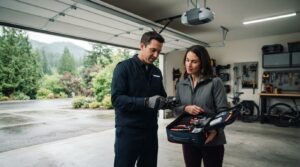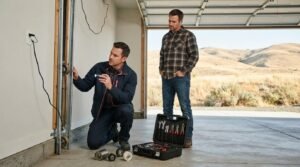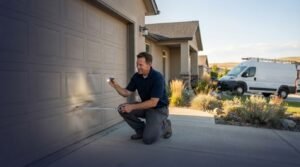
If your garage door remote isn’t working after a battery change, check the battery’s direction and try a known-good battery before replacing the remote. If it still won’t operate the door, reprogram it using the instructions for your opener’s make and model. Replace the remote if it remains unresponsive after these checks or another remote works with the opener.
A fresh battery should seem like an easy fix, so it’s frustrating when the remote still doesn’t work. If the remote still doesn’t work, reprogramming may help restore its connection with the opener before you consider a replacement.
This guide explains how to check the battery and remote, clean the controls, and reconnect the remote to the opener. You’ll also learn how to tell whether the remote may need replacing or the problem could be with the opener instead.
Key Takeaways
- Before replacing a remote, confirm the battery is the right way around and test it with a known-good battery.
- Clean the buttons and battery contacts carefully to remove dirt that may interfere with operation.
- Use your opener’s make and model to find its programming instructions, then try pairing the remote again.
- Test the wall switch or keypad to help determine whether the problem is with the remote or the opener.
- If the opener itself needs attention, opener replacement may be appropriate; spring repair addresses a separate door problem.
Using the opener make and model to find programming instructions
Find the opener’s make and model before programming, because button sequences vary by unit. Use the matching instructions to distinguish a remote problem from a receiver or opener issue.
Find the Opener Make and Model
Read the label on the opener’s motor unit to identify its make and model. Use those details to find the correct manual and remote-programming instructions. Check the troubleshooting section for the exact Learn or Program button location and sequence. Don’t follow instructions for a similar-looking opener, since procedures can differ between models.
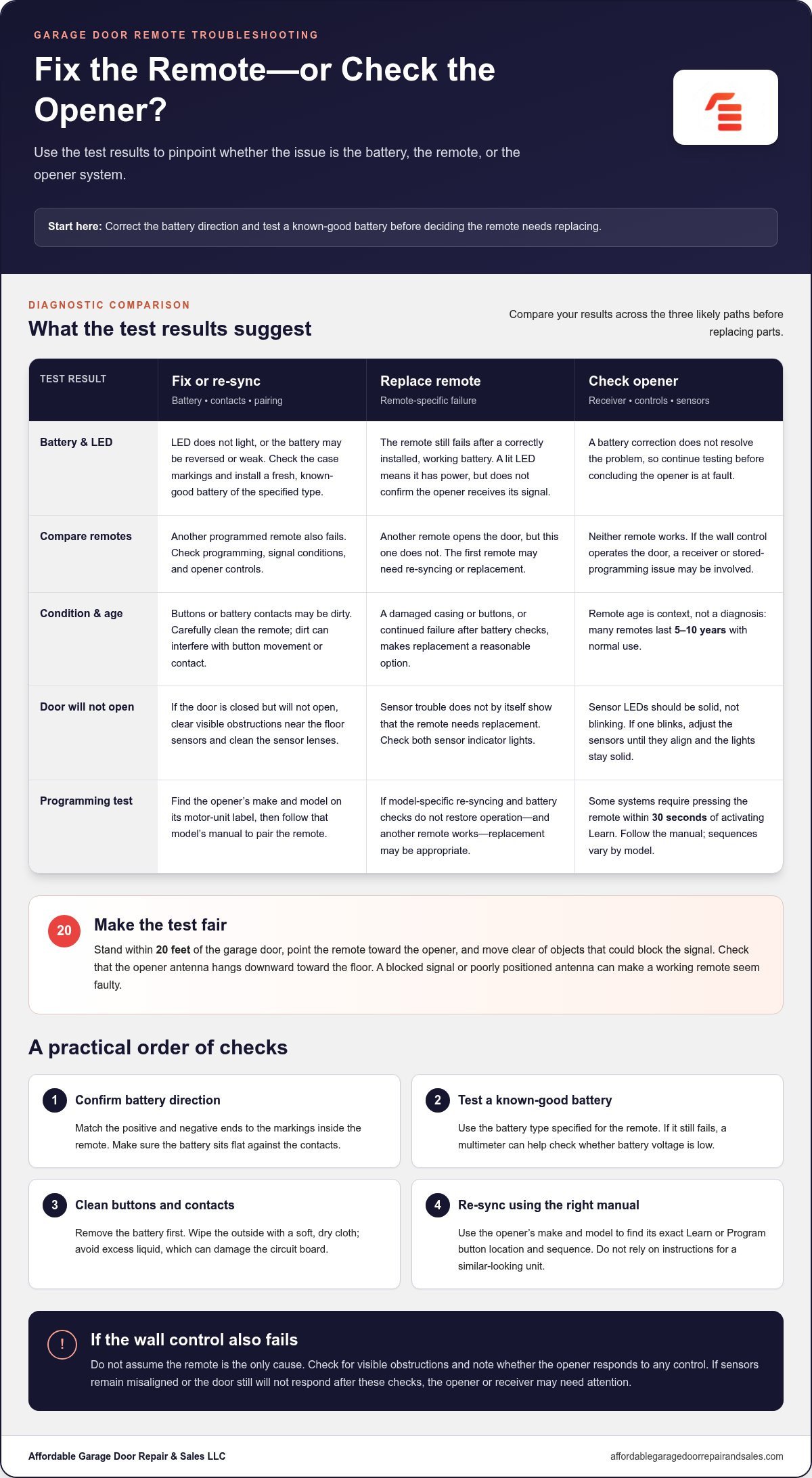
- Check the wall control and another remote, if available, before changing opener settings. If the wall control operates the door but neither remote works, the receiver or stored programming may be the issue. If another remote opens the door, the first remote may need re-syncing or replacement. This comparison helps narrow down the problem before you start programming.
Stand within 20 feet of the garage door for a test. Move clear of walls, vehicles, or other objects that could obstruct the signal, then point the remote toward the opener. Check that the opener antenna hangs downward toward the floor. A blocked signal or poorly positioned antenna can make a working remote seem faulty.
Re-Sync the Remote
Follow the model-specific instructions to pair the remote with the opener. Many systems use a Learn or Program button on the motor unit, followed by a press of the remote button. On some openers, you must press the remote within 30 seconds after activating Learn. Watch for the opener light to flash, which indicates successful programming on those systems.
Follow the manual’s sequence instead of holding buttons at random. Some models call for a brief press, while others use a different action. Keep the remote close to the opener during pairing, then test it from the same position.
- Look at the opener’s lock or vacation control if programming doesn’t restore operation. A solid or flashing lock light can indicate that the opener is locked and won’t respond to remotes. Press the lock button on the wall control to disengage that feature, following the manual for your model. Then test the remote again from within 20 feet.
If the wall control also fails, don’t assume the remote is the only possible cause. Check for visible obstructions near the door and note whether the opener responds to any control. A receiver or other opener issue may need attention, particularly if both remotes fail while the wall control works.
Should You Fix or Replace Your Remote?
Check the remote’s battery, buttons, and the door’s safety sensors before replacing the remote. A garage door remote not working after a battery change may need a simple correction, while failed controls can point to another part of the system.
Check Battery Orientation and Remote LED
Press a remote button and watch its indicator LED. If it doesn’t light, open the case and match the battery’s positive and negative ends to the markings inside. Reinstall it in the correct direction, then test the button again. A lit LED shows the remote has power, but doesn’t prove that the opener is receiving its signal.
Replace Batteries and Check Polarity
Install a fresh, known-good battery of the type specified for your remote. Match its positive and negative ends to the case markings, and make sure it sits flat against the contacts. If the remote still fails, test the battery voltage with a multimeter. A low reading may explain why the LED lights but the remote doesn’t operate the door.
- Test another programmed remote, if available. If that remote operates the opener but the first one doesn’t, the first remote is likely faulty. A remote that still fails after a correctly installed, working battery may need replacement, especially if its casing or buttons are damaged. Most garage door remotes last 5 to 10 years with normal use, so age can help inform the decision.
- If the door is closed but won’t open, check the safety sensors near the floor. Clear visible obstructions, such as toys or spiderwebs, and clean the sensor lenses. Check both sensor LEDs: they should be solid, not blinking. If an LED blinks, adjust the sensors until they’re aligned and the lights stay solid, then test the door again.
- Use the results to choose your next step. If the remote works after you correct the battery polarity or install a good battery, it doesn’t need replacing. If another remote works while yours doesn’t, replacement is a reasonable option. If neither remote operates the opener, the remote may not be the cause. Focus on the opener or receiver instead.
If the sensors remain misaligned or the door still won’t respond after these checks, a garage door safety inspection can help assess the system.
Cleaning remote buttons and internal contacts
Clean the remote after checking its battery and programming. Dirt around a button or battery contact can interrupt operation, while excess liquid can damage the circuit board.
- Remove the battery before cleaning the remote. Note which side faces up or take a quick photo so you can reinstall it correctly. Keep the battery away from your work area while the case is open. This prevents an accidental button press from activating the remote during cleaning.
- Wipe the outside of the remote with a soft, dry cloth. Focus on the button edges, where dust and sticky residue can build up and stop a button from moving freely. Press each button once after wiping. If one still sticks, don’t force it, since pressure can damage the button or its internal connection.
- Open the case only if it separates easily and the remote is designed for access. Use a small, suitable tool at the case seam, without levering against the buttons or circuit board. If the housing is sealed, cracked, or hard to open, clean only the outside. Forcing the case can break its clips or damage the electronics.
- Check the battery contacts and nearby circuit board for dust, residue, or visible corrosion. Use a dry cotton swab to remove loose debris from the contacts. Don’t pour or spray cleaner inside, or use a wet cloth. Moisture can reach the circuit board and cause a new fault, even if the contacts look clean afterward.
- Check that the metal contacts connect clearly with the battery. If a contact looks bent, don’t push it sharply or scrape it with a knife. A damaged contact may no longer hold the battery firmly. Visible corrosion or a broken contact may signal internal damage that surface cleaning won’t fix.
- Let the case and contacts dry completely before reinstalling the battery. Align the case halves, close them without force, and test each button. Check whether the remote’s LED lights and whether the opener responds. If only one button fails, that button or its internal contact may be damaged. If all buttons fail, the issue may involve the battery connection or circuit board.
- Compare the cleaned remote with another programmed remote, if available. If the second remote works consistently but the cleaned one still doesn’t, more cleaning is unlikely to help. A remote with a cracked case, damaged button, or corroded contact may need replacing. Have the opener’s model details ready when choosing a compatible replacement.
Remote reprogramming after a battery change or power outage
A battery change or power outage can interrupt the connection between the remote and opener. Follow the opener manual’s programming sequence, since button timing and pairing steps vary by model.
- Find the opener’s make and model on the motor unit, then locate its manual. Read the remote-programming instructions before pressing any controls. Some openers retain remote pairing after battery removal, while others lose it. The manual identifies the correct Learn or Program button and explains how your model signals successful pairing.
- Check that the garage door is closed and the opener has power. If a recent outage may have caused a minor glitch, unplug the opener for 30 seconds, then reconnect it. Wait for the unit to restart before testing the remote. Don’t use this reset as a substitute for the model’s programming instructions.
- Find the Learn or Program button on the opener motor unit. Confirm its label and location in the manual, since button placement differs between models. Press the button as instructed, usually once. Avoid holding it for about 30 seconds unless you intend to clear stored codes, because that action can erase paired remotes.
- Press the remote button you want to pair within 30 seconds after activating Learn, if your opener uses that sequence. Some instructions call for holding the remote button for three seconds. Follow the model-specific timing rather than combining steps from different manuals. Keep the remote near the opener while pairing.
- Watch the opener light after pressing the remote button. On systems that use this signal, a flash indicates successful programming. If the light doesn’t flash, wait briefly and repeat the manual’s sequence from the beginning. Avoid rapid, repeated presses, which can make it harder to follow the timing accurately.
- Test the paired remote from a position where you can see the garage door. Press the programmed button once and check whether the opener responds. If it does, step back and test again. If it doesn’t, compare your timing with the manual and confirm that you used the correct remote button.
- If reprogramming fails, test another remote and the wall control. If the wall control works but neither remote does, the receiver or stored programming may be involved. If no control operates the opener, the issue may go beyond remote pairing. Record the opener model and the result of each test before choosing your next troubleshooting step.
Testing the wall switch or keypad
Compare the wall switch, keypad, and remote to see which controls operate the opener. The results help narrow the problem to the remote, receiver, power supply, or door system.
- Press the wall switch once while standing where you can see the garage door. Note whether the opener responds, the door moves, or the motor unit stays silent. If the wall switch operates the door normally but neither remote works, programming or the receiver may be the issue. Record the result before changing opener settings.
- Test the keypad separately, if you have one. Enter your usual code and follow the keypad’s instructions to send the command. Note whether the opener responds, then compare the result with the wall switch and remote. If the keypad works but the remote doesn’t, the problem may be with the remote or its pairing, not a complete loss of opener power.
- Check whether the wall switch has a lock control or vacation feature. A locked opener may ignore remote commands even when the remote has power. Look for a solid or flashing lock light on the opener, then use the wall control’s lock button to disengage the feature. Follow the opener manual, since control layouts vary by make and model.
- If neither the wall switch nor keypad operates the opener, check the opener’s power connection and display lights. Unplugging the opener for 30 seconds can clear a minor glitch; reconnect it and test the wall switch again. Don’t open the motor housing to inspect wiring or a separate fuse. Note any warning lights or sounds for diagnosis.
- Observe the door and safety sensors during a wall-switch test. Clear visible obstructions, such as toys or debris, and check that both sensor LEDs are solid rather than blinking. If the door starts closing and reverses, sensor alignment or an obstruction may be affecting operation. Stop testing if the door appears damaged or moves unevenly.
- Compare the results to choose the next troubleshooting path. A working wall switch with failed remotes suggests a remote or receiver issue; a failed wall switch and keypad point beyond the remote. If controls remain unresponsive, or the door has visible track damage, get help diagnosing the garage door system rather than repeatedly cycling the opener.
Affordable Garage Door Repair & Sales: Spring Repair
Affordable Garage Door Repair & Sales can help when troubleshooting points to an opener or door problem rather than a faulty remote. If the wall switch and keypad also fail, opener replacement may be relevant after the opener has been assessed. If the door is off track, off-track repair addresses that mechanical issue. Spring repair is a separate solution for a door with a spring problem, not a fix for remote pairing. Avoid repeatedly operating a door that appears damaged or moves unevenly. Matching the repair to the symptoms helps address the source of the problem instead of replacing a remote unnecessarily. Contact Affordable Garage Door Repair & Sales to discuss a garage door issue that remains after these checks.
Get the Door Working Reliably
When a garage door remote isn’t working after a battery change, first distinguish a remote fault from a door or opener problem. If only the remote fails, focus on replacing or pairing it. If the door moves unevenly or the opener doesn’t respond to other controls, don’t assume a new remote will solve the problem.
Affordable Garage Door Repair & Sales LLC can help with mechanical problems affecting the door system, including spring repair and broken spring repair. If the opener is the source of the problem, opener replacement may be more relevant. Choosing help based on the fault keeps the next step practical and focused.
If you need help with an opener or door problem, contact Affordable Garage Door Repair & Sales LLC. With the cause clearer, you can move toward a dependable repair and get back to using your garage door with confidence.
Frequently Asked Questions
How do you reprogram a garage door remote after changing its battery?
Use the opener’s model-specific programming sequence, since battery removal can affect stored pairing differently across units. Find the manual for your opener and follow its Learn or Program steps. Keep the remote nearby and watch for the opener’s confirmation light. If the remote pairs but works intermittently, test it from another position to distinguish a programming problem from limited signal range.
How can you check whether a garage door remote battery is installed correctly and has power?
Open the remote and match the battery’s positive and negative ends to the markings inside the case. Refit it, press a button, and check whether the indicator light comes on. If it stays dark, try a known-good battery of the specified type. A multimeter can also test battery voltage. In an Everett garage, if the light comes on but the opener doesn’t respond, continue checking the signal or opener.
What does it mean if the garage door remote light turns on but the door does not move?
A lit remote indicator shows that the button press activates the remote, but it doesn’t prove the opener received the signal. Check whether the wall switch or keypad operates the door. If another remote works, the first may have a pairing or transmission problem. If other controls also fail, investigate the opener, lock setting, or door sensors instead of assuming the remote needs replacing.
How do you resync a garage door remote with the opener using the Learn button?
Press the opener’s Learn button as directed by its manual, then press the chosen remote button within the pairing window. Some systems allow 30 seconds for this step. Look for the opener light to flash, which indicates successful pairing on units that use this signal. Don’t hold Learn for about 30 seconds unless you intend to clear stored codes, as that can erase existing remote pairings.
Do garage door remotes need a specific battery type or polarity?
Yes. Use the battery type specified for your remote and match its positive and negative ends to the markings inside the case. The correct battery shape or voltage alone doesn’t guarantee proper installation if polarity is reversed. Some older remotes use a 9-volt battery, while others use different types. Check the remote’s label or manual before buying a replacement, and avoid mixing old and new batteries.
How do you troubleshoot interference or weak signal from a garage door remote?
Test the remote from within 20 feet of the garage door, then move closer if the opener doesn’t respond. Clear objects between the remote and opener, and check that the opener antenna points downward toward the floor. If range changes when you move vehicles or stand in a different spot, an obstruction may be affecting transmission. Consistently weak response from nearby can indicate an antenna or receiver issue.
How can you tell whether the remote, wall switch, or garage door opener is faulty?
Compare the controls one at a time. If the wall switch operates the door but one remote fails, focus on that remote or its pairing. If the keypad works but the wall switch doesn’t, the wall control may be the problem. When no control operates the opener, check its power and lock status. If multiple remotes fail while the wall switch works, the receiver or programming may be involved.
Can a locked vacation mode or damaged garage door sensor prevent remote operation?
Yes. An engaged lock or vacation setting can prevent the opener from responding to remote commands. Check the wall control’s lock button and indicator light. Safety sensors can also disrupt door movement if they’re blocked or misaligned. Look for debris near the sensors and check whether both LEDs are solid rather than blinking. If the door reverses while closing, clear the path and check sensor alignment before testing again.